




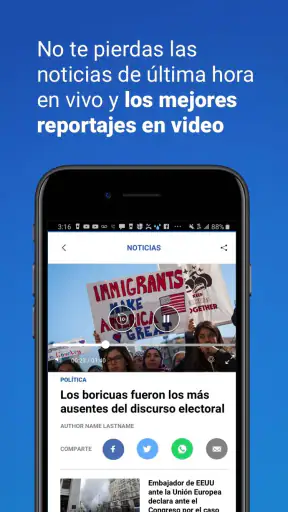
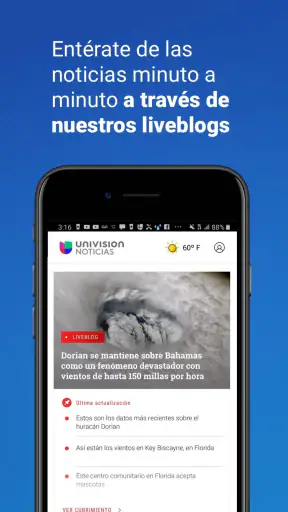

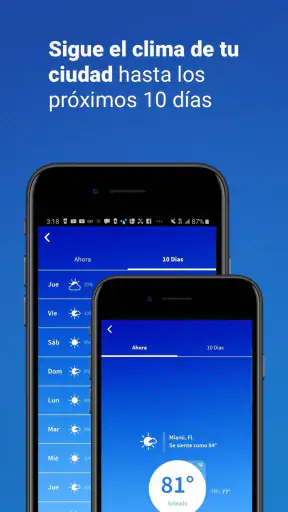
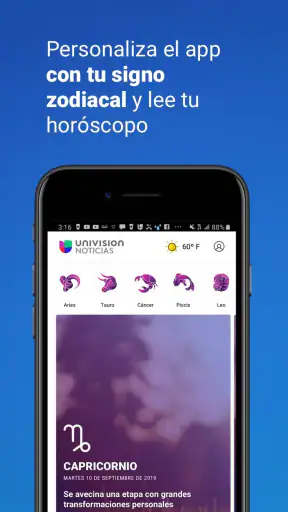
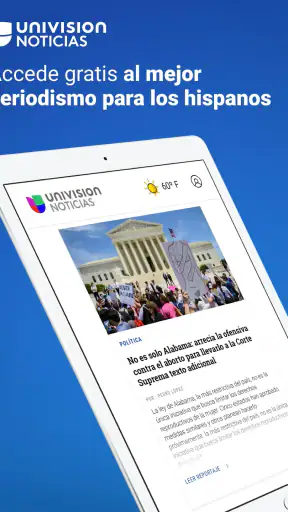
I opened Univision Noticias expecting a straightforward Spanish-language news reader, and that is largely what I found: a focused way to follow stories connected to the United States, politics, immigration, the economy, health, world events, and other subjects that matter to Spanish-speaking audiences. It is a free News & Magazines app from Univision Communications Inc., and its biggest strength is not trying to be everything at once. It gives me a familiar editorial home when I want news in Spanish without sorting through a general-purpose English news feed.
That focus makes it especially useful for people who want U.S. news explained through a Spanish-language perspective. I can see why it has reached more than a million installs and maintains a 4.7 average from roughly eighteen thousand ratings. Those figures suggest a well-established audience, but they do not make the app perfect. My experience is that its value depends heavily on what kind of news routine you want: it works well as a daily companion, while readers who need a broad international dashboard, deep customization, or a replacement for several specialized sources may find it limited.
How the current app feels in everyday use
The first thing I noticed is how clearly the app’s purpose comes through. It is not built around entertainment, shopping, or a mixed social feed. The emphasis stays on current affairs, with coverage areas that include politics, immigration, economics, health, and international news. That makes it easy to open when I have a specific intention, such as checking the latest immigration developments or catching up on a major U.S. story during a short break.
For a normal morning routine, I would use it in stages rather than trying to read everything. I might scan the main headlines with coffee, open one or two articles that affect my family or work, and return later when a developing story has changed. That approach suits the app better than treating it like a complete newspaper archive. It helps me stay oriented, but I still prefer a second source when a decision depends on detailed background or a highly specialized subject.
The Spanish-language presentation is the central reason to choose it. News can lose nuance when I have to translate it mentally, especially around public policy, legal changes, healthcare, or immigration terminology. Reading those subjects directly in Spanish makes the experience less tiring and more accessible for relatives who are comfortable with Spanish but do not regularly consume English-language journalism.
At the same time, the focused editorial identity means the app is not automatically the best option for every reader. Someone who wants technology reporting, local coverage from many countries, business-market tools, sports analysis, or a single feed combining dozens of publishers may prefer a broader news aggregator. Univision Noticias makes more sense when its subject areas and language match the way I already follow the news.
A practical routine for families and busy readers
A realistic use case is a family member who wants to understand a policy story before discussing it with relatives. Instead of forwarding a headline without context, I would open the relevant article, read the main explanation in Spanish, and use the app as a starting point for a conversation. That is more useful than simply checking a notification because it encourages me to understand the issue rather than react to a short title.
Another good fit is someone who moves between Spanish and English during the day. I can use this app for the Spanish-language framing of major U.S. developments, then consult an English source if I need a different editorial angle or more technical detail. The trade-off is a little extra effort, but I consider that healthier than assuming one app can provide every perspective.
I also think it can help readers who are returning to regular news after a long break. Its subject focus gives me a manageable starting point: politics, immigration, health, the economy, and world news are recognizable entry points. I do not need to configure a complicated information system before I can begin. That simplicity is an advantage for casual readers, older family members, and anyone who wants a dependable place to start the day.
What the current version tells me about its evolution
The app is currently at version 20.0.1, which tells me this is a mature product rather than a newly launched experiment. It first appeared on December 22, 2011, so its presence over many years gives it a different character from a temporary news project. I would expect a long-running app like this to have gone through multiple rounds of maintenance and interface adjustment, even though I would not treat the version number alone as proof that every part of the experience has been modernized.
For existing users, that maturity is reassuring in one sense. The app has had time to establish its editorial purpose and attract a substantial audience. The developer, Univision Communications Inc., is also clearly identifiable, which makes the product feel connected to a recognizable news organization rather than an anonymous headline collector.
Still, a high version number does not automatically answer the questions I care about most. It does not tell me whether the reading flow is ideal on every phone, whether every section feels equally fresh, or whether the app provides enough control for someone who wants a carefully personalized news diet. I judge those things by daily usefulness, and my conclusion is mixed but positive: the core purpose is clear, while the experience remains best for readers who accept a relatively guided editorial path.
How the update context affects current users
If I were already using an older release, I would approach version 20.0.1 as a reason to keep the app updated, but not as a promise of a completely different product. The important continuity is the coverage mission. Existing readers are likely to value the same Spanish-language access to U.S. and international news, while newer users can start without learning an unfamiliar concept.
The practical benefit of staying current is less about chasing a version number and more about avoiding an outdated installation. News apps depend on a reliable connection between the reader and frequently changing content, so I would not postpone updates indefinitely. I would also take a few minutes after updating to check whether my preferred sections and reading habits still feel easy to reach. That small review can reveal interface changes before they become frustrating.
One trade-off for long-time users is that any evolving news app may change the balance between quick scanning and deeper reading. A layout that feels efficient for a new user may feel less comfortable to someone who has built a precise routine around an older design. My advice is to judge the current release by the tasks you actually perform: finding a major story, opening an article, returning to the news later, and moving between subjects without losing your place.
Where it compares well with ordinary alternatives
Compared with a general news aggregator, Univision Noticias feels more intentional. Aggregators are useful when I want many publishers in one place, but they can also create a noisy stream where language, editorial tone, and story importance vary from item to item. This app gives me a clearer Spanish-language destination, which reduces the time spent filtering out material that is irrelevant to my interests.
Compared with reading news through a mobile browser, the app offers a more direct habit. I do not need to remember which site carries a particular section or repeatedly search for the same subjects. Opening a dedicated app creates a small amount of friction in the right direction: I arrive intending to read news rather than being pulled into unrelated web pages.
Compared with television news, the app is more convenient when I need to read at my own speed. I can pause over an unfamiliar term, reread a paragraph, or leave a story until I have time. Television may be better for people who prefer a guided visual broadcast, while this app suits readers who want control over when they consume information.
Its weaker comparison is with specialist services. If I need market charts, academic reporting, extensive local coverage, or a carefully assembled international briefing, I would choose a more specialized product. The app’s strength is accessible Spanish-language news across important public topics, not professional-grade depth in every field.
Small habits that make the app more useful
My first tip is to use it with a question in mind. “What changed in immigration policy?” or “What is the latest development in a health story?” is a better starting point than opening the app and trying to consume every headline. A question helps me separate useful reporting from background noise and makes short reading sessions more productive.
My second tip is to distinguish a headline from a complete understanding. I treat the main feed as a map of what deserves attention, not as the entire news experience. When a story could affect travel, finances, healthcare, or legal decisions, I read carefully and consult another reputable source before acting. That habit is especially important with fast-moving stories, where early reports can change.
My third tip is to create a repeatable reading window instead of checking constantly. News apps can encourage anxious refreshing, particularly during political or international events. I get more value when I check at sensible points in the day, read the stories relevant to me, and then step away. The app works well as part of that routine because its subject areas are broad enough for regular use without requiring nonstop monitoring.
A fourth useful approach is sharing the reading task within a household. If one person prefers Spanish and another prefers English, this app can provide a common starting point for discussing major U.S. stories. I would still compare interpretations rather than assuming that language alone guarantees identical emphasis. The benefit is easier access and conversation, not automatic agreement.
Remaining gaps and who should think twice
The main limitation is scope. The app covers many significant areas, but no single news application can provide equal depth everywhere. I would not rely on it alone for niche professional research, detailed regional reporting outside its core audience, or a complete record of every viewpoint on a contentious issue.
I also would not recommend it to someone who dislikes publisher-centered news experiences. Readers who want to build their own feed from many independent sources may feel constrained. An aggregator gives more control over source selection, while Univision Noticias gives me a more coherent destination. Neither approach is universally better; it depends on whether I value editorial focus or maximum customization.
Another consideration is reading preference. People who want audio-first updates, long-form investigative archives, or highly granular alerts should examine whether a dedicated service fits them better. I find this app most convincing for ordinary reading sessions: scanning, opening relevant articles, and keeping up with broad public-interest subjects in Spanish.
The Teen content rating is also worth noting for families. I would not treat that label as a substitute for parental judgment, especially because news can include distressing or mature real-world subjects. For a teenager who is learning to follow current events, it may be a useful starting point when an adult helps explain context. For younger children, I would choose content designed specifically for their age.
What I would watch as the product continues
For future releases, I would pay attention to how well the app balances speed with context. A news reader should help me see what is happening quickly, but it should also make it easy to understand why a story matters. I would especially value improvements that reduce the distance between a headline and the background needed to interpret it.
I would also watch the handling of personalization. More control could help readers focus on immigration, health, politics, or world news according to their needs, but too much customization could weaken the clear editorial identity that makes the app approachable. The best direction would preserve a simple default experience while giving regular users sensible ways to shape what they see.
Accessibility and reading comfort are equally important to me. News is consumed in many situations: on a small phone, during a commute, at home with limited time, or by someone who is not comfortable navigating complicated interfaces. Any future refinement should make articles easier to follow without turning the app into a cluttered dashboard.
I would finally look for continued attention to trust and clarity. When a story develops, readers need to understand what is confirmed, what is changing, and what requires caution. The app’s long history and recognizable developer give it a solid foundation, but trust is maintained through the quality and clarity of everyday reporting, not through longevity alone.
My recommendation after using it
Univision Noticias is a strong choice for Spanish-speaking readers who want a focused daily connection to U.S. and international news. I like its clear purpose, its accessible subject mix, and the way it fits naturally into short reading sessions. Being free removes the main barrier to trying it, and the minimum operating-system requirement of 8.1 makes it suitable for many older devices as well as newer ones.
I would recommend it to a reader who wants Spanish-language coverage of politics, immigration, health, the economy, and world events without building a complicated collection of sources. I would also recommend it to families who want an easier way to discuss major news across language preferences. The app feels most valuable when used consistently and thoughtfully, rather than as a replacement for every other source.
I would skip it if my priority were deep specialization, extensive source customization, or a complete professional research workflow. In those situations, a broader aggregator or a specialist publication would serve me better. For everyone else, the app offers a practical middle ground: more focused than a random web search, less overwhelming than a giant multi-source feed, and more approachable for Spanish-language daily reading.
After considering its current version, established history, audience response, and clear editorial role, my view is favorable with sensible limits. I would keep it installed as one of my regular news tools, use it to find the stories that matter, and verify high-stakes information elsewhere before making decisions. That is not a weakness unique to this app; it is simply the responsible way I prefer to use any news service.


